- This topic has 0 replies, 1 voice, and was last updated 6 months ago by
 .
.
Push Notification FAQ
- You must be logged in to reply to this topic.
Home / Forums / Community Related / Help & Feedback / Push Notification FAQ
joshua.We’ve added browser push notifications to the site.
When you visit, your browser may show a small prompt asking if you’d like to allow notifications. If you click “Allow,” your browser is now connected and able to receive notifications from us.
However, that’s only the first step.
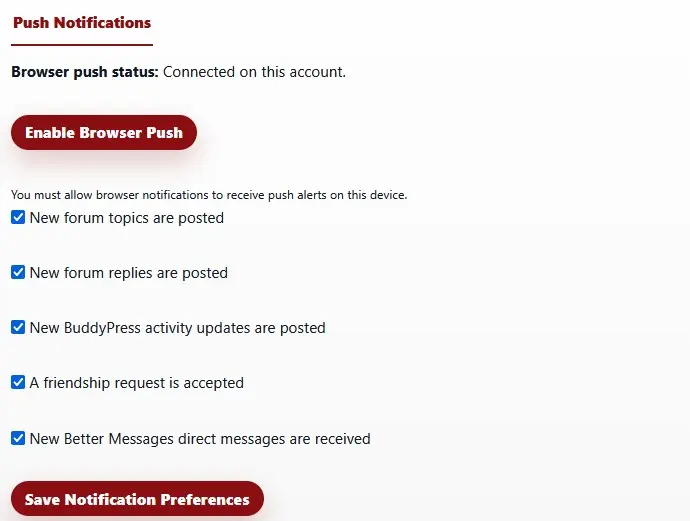
After allowing notifications in your browser, you must go to your Profile Settings and choose which types of notifications you want to receive. By default, you are not subscribed to anything.
This means:
Clicking “Allow” only enables your browser.
You will not receive any notifications until you opt in within your profile.
If you want alerts for replies, messages, announcements, or other activity, make sure to visit your settings page and select the options you prefer.